If you run a trades business, a consultancy or any service company, your clients increasingly expect the same slick digital experience they get from the big brands. They want to log in, check the status of a job, view their invoices and message you without picking up the phone. The good news is that building a professional client dashboard no longer requires a five figure development budget or a team of engineers. With Claude Code and Supabase, you can stand up a secure, modern customer portal in days rather than months.
In this guide we will walk through exactly how a client dashboard AI workflow comes together using Claude Code and Supabase, why these two tools pair so well, and how your business can use this approach to win more work and save time. Whether you are looking for a trades business app or a polished customer portal builder, this tutorial will point you in the right direction.
Why a Client Dashboard Matters for UK Businesses
British small and medium sized businesses are digitalising fast. According to the SME Digitalisation Report, 55 percent of SMEs now consider digitalisation a key priority for growth in 2026, and 60 percent report measurable efficiency benefits after digitalising. More than a third say it has directly boosted customer satisfaction.
The financial case is just as compelling. Research cited in this UK digital transformation roadmap shows digital tools can save SMEs the equivalent of 1.2 hours per employee per week. For a 20 person company that adds up to more than 1,248 hours a year, or over 31,000 pounds in recovered productivity. A well built client dashboard captures exactly this kind of saving by cutting down on phone calls, chasing emails and manual admin.
Customer expectations are rising too. The same research notes that 73 percent of customers now expect personalised treatment from the businesses they buy from, up from just 39 percent two years earlier. A customer portal that shows each client their own jobs, documents and updates is one of the simplest ways to meet that expectation.
What Are Claude Code and Supabase?
Before we dive into the business dashboard tutorial, let us quickly explain the two tools doing the heavy lifting.
Claude Code
Claude Code is Anthropic’s AI powered coding environment. In 2026 it gained a range of features that make building applications dramatically faster, including Artifacts that turn your work into live, shareable web pages and full stack applications with previews inside the chat. The official Claude Code documentation details capabilities such as visual debugging, a design to code bridge that converts Figma designs straight into production ready code, and managed agent memory that remembers your project architecture across sessions. In short, you describe what you want in plain English and Claude Code writes, tests and refines the application for you.
Supabase
Supabase is an open source backend built on PostgreSQL. It bundles a managed database, user authentication, real time updates and file storage into one platform, so you never have to manage your own servers. Crucially for our purposes, Supabase is now an official Claude connector. As noted in the Supabase blog, you can connect your Supabase project directly to Claude and manage your database simply by telling Claude what you need. Supabase has also added passkeys for passwordless login and achieved ISO 27001 certification, which matters when you are storing client data.
The Supabase free plan covers up to 50,000 monthly active users and a 500 MB database, while the Pro plan starts at just 25 dollars per month per project. For most trades and service businesses, the free or Pro tier is more than enough to launch a real customer portal.
How the Claude Code Supabase Workflow Works
The magic of a Claude Code Supabase setup is how cleanly the two halves fit together. Supabase handles your data and security, while Claude Code builds the interface your clients actually see. Here is the high level flow.
Step One: Map Out Your Data
Start by listing what your clients need to see. For a typical trades business app that might include jobs, quotes, invoices, appointments and documents. In Supabase you create a table for each of these. Because Supabase uses standard PostgreSQL, you get powerful features such as Row Level Security, which ensures each client can only ever see their own records. This is the foundation of a trustworthy customer portal.
Step Two: Set Up Authentication
Supabase Auth lets you add secure login in minutes, supporting email and password, social logins and now passkeys for biometric, passwordless access. You decide who can sign up and what they can access. This is where Row Level Security pays off, automatically filtering every query so a client logging in only ever sees their data.
Step Three: Build the Dashboard with Claude Code
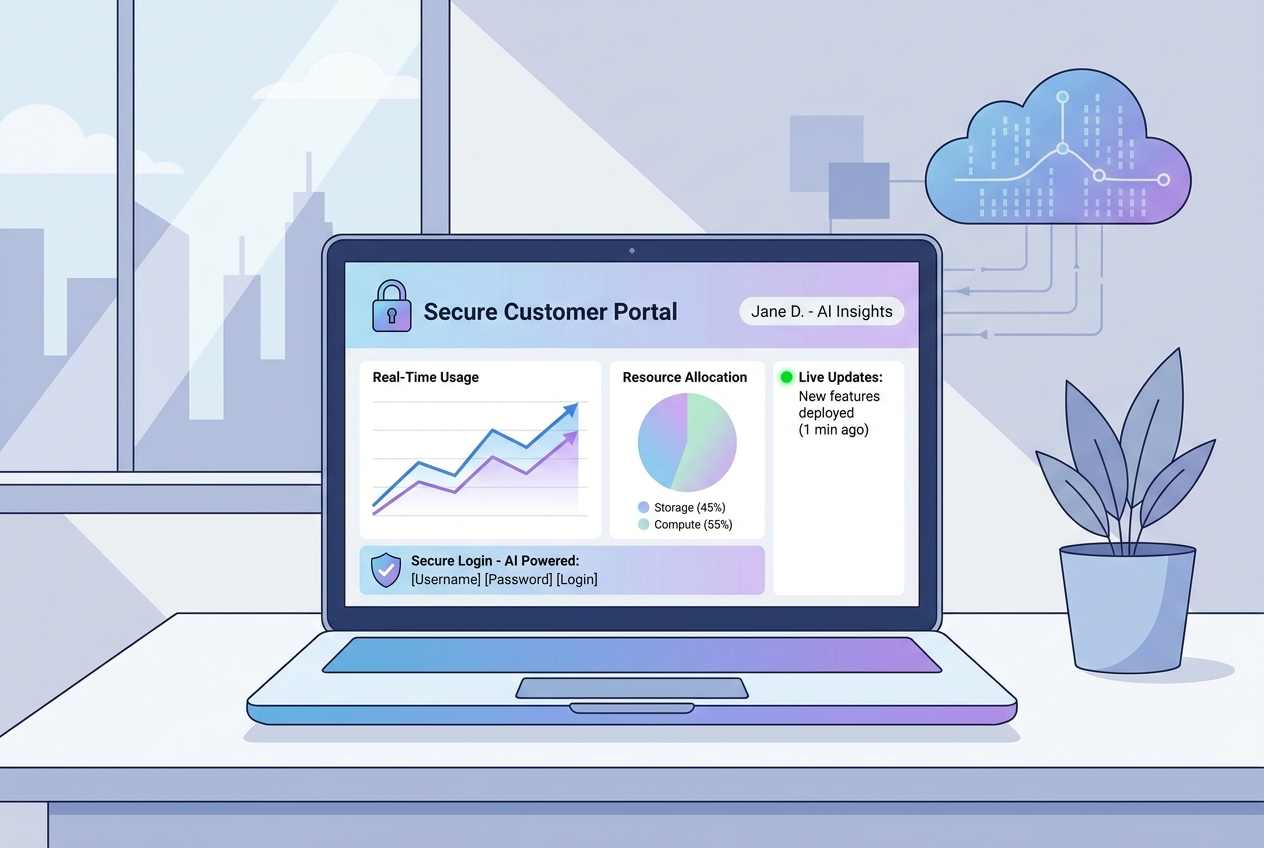
This is where client dashboard AI really shines. Connect Claude Code to your Supabase project and describe the interface you want. For example, you might ask for a dashboard that shows the client a list of their active jobs with status badges, a downloads section for invoices, and a simple messaging panel. Claude Code generates the front end, wires it to your Supabase data, and shows you a live preview you can refine on the spot. The design to code bridge means you can even feed in your brand colours and a logo to keep everything on brand.
Step Four: Add Real Time Updates
Supabase Realtime pushes changes to the dashboard instantly. When you mark a job as complete in your admin view, the client sees it update live without refreshing the page. This kind of responsiveness is what makes a customer portal feel professional and trustworthy.
Step Five: Test, Secure and Launch
Claude Code includes review tools that audit your code for security and scalability issues before you go live. Combined with Supabase’s ISO 27001 certification and built in security policies, you can launch with confidence that your clients’ data is protected.
Real Business Benefits of a Custom Client Portal
The return on a project like this is significant. Beyond the time savings already mentioned, a customer portal builder approach gives you several competitive advantages.
Firstly, it reduces admin. Every status update a client checks themselves is a phone call or email you do not have to deal with. Secondly, it builds trust. Clients who can see their jobs, quotes and invoices in one place feel more in control and are more likely to recommend you. Thirdly, it positions your business as modern and credible, which is no small thing when only 15 percent of UK SMEs have adopted any form of AI according to that same digital transformation research. Getting ahead of the curve is a genuine differentiator.
For trades businesses in particular, a dedicated app that lets customers book follow up work, approve quotes and view photos of completed jobs can be the deciding factor when a homeowner is choosing between you and a competitor still relying on paper and text messages.
Where Kaizen AI Consulting Comes In
While the tools have become far more accessible, getting the data model, security policies and user experience right still takes know how. This is exactly where Kaizen AI Consulting can help. We specialise in helping UK businesses adopt practical AI tools that deliver real results, and building bespoke client dashboards with Claude Code and Supabase is right in our wheelhouse. We can scope your requirements, design a secure data structure, build the portal and train your team to manage it, so you get a polished customer portal without having to become a developer yourself.
If you would like to understand how AI can streamline other parts of your operation as well, our wider consulting services cover everything from automation to marketing. Many of our clients start with a single project like a client dashboard and quickly find other areas where the same technology saves time and money.
Getting Started
Building a client dashboard with Claude Code and Supabase is one of the highest impact, lowest cost digital projects a service business can take on in 2026. You get a secure, real time customer portal that saves you hours every week, delights your clients and sets you apart from competitors who are still stuck with spreadsheets and voicemail.
You can absolutely follow this business dashboard tutorial yourself, but if you would rather have it done properly and quickly, we are here to help. Get in touch with Kaizen AI Consulting today for a free, no obligation chat about building a client dashboard tailored to your business. Let us help you turn a great idea into a working portal your clients will love.