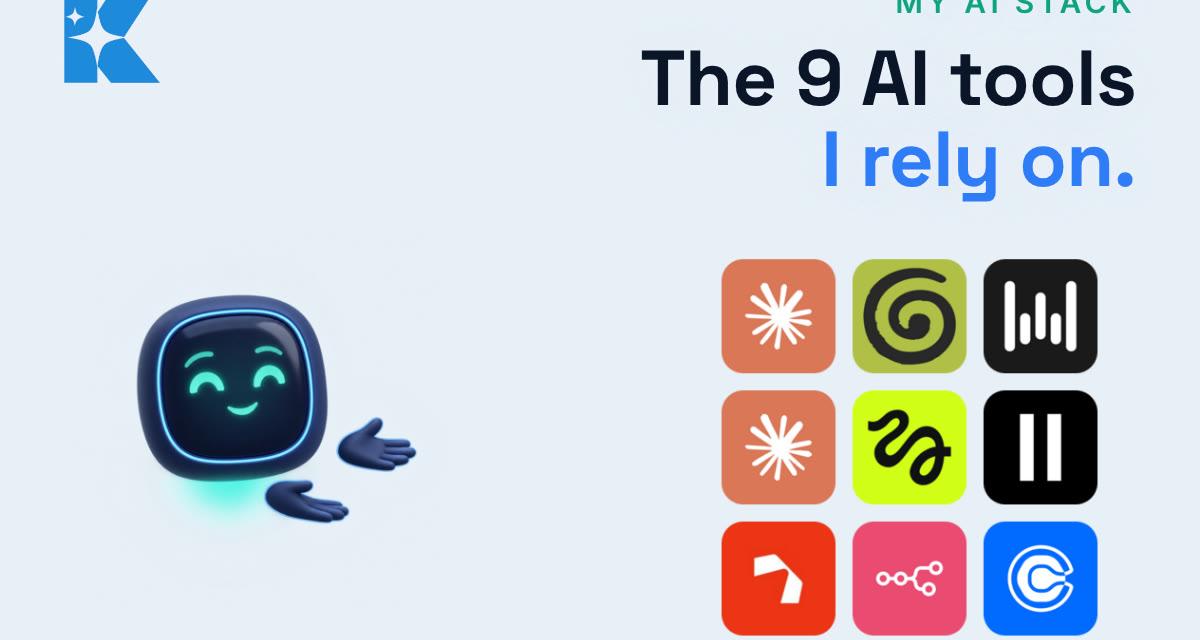
People ask us which AI tools we actually use, and the honest answer is a short list. Nine tools do almost all of the work behind Kaizen, from thinking and note taking to publishing and booking calls. This is the list, what each one does for us, and why we like it. We have kept it to our own experience, so where we have not tested something, we say so.
You do not need all nine. The point of sharing the stack is to show how small it can be, and that each tool has one clear job.
1. Claude: the AI chatbot
Claude is where most of our thinking happens. We use it to work through ideas, draft copy and break a messy task into steps. What we like is that it can hold our business context in a Project, so we are not re-explaining ourselves every morning, and that it connects to Gmail, Calendar and Drive. If you are starting out, a chatbot is the one tool worth getting comfortable with first.
2. Granola: note taking
Granola writes up our meetings so we can stay in the conversation instead of typing. We like that no bot joins the call, and that the notes are waiting afterwards. Check how any note-taking tool handles consent and where recordings are stored before you use it with clients, because that depends on your own setup.
3. Wispr Flow: voice transcription
Wispr Flow lets us speak and have the words typed into whichever app we are in. Talking is simply faster than typing, and a dictated first draft is a good starting point for an email or a post. It is the cheapest habit change on this list.
4. Claude Code: coding
Claude Code is where we build our own tools and automations, from plain-English instructions. Our daily content routine was built with it. If you have a repetitive job that no off-the-shelf tool quite fits, this is the tool we would reach for. You can read more on Anthropic's Claude Code page.
5. Higgsfield: media generation
Higgsfield puts image and video generation in one place. We use it for animated clips and for character images, including Kai, the character you may have spotted in our posts. It saves us from stitching together several separate tools.
6. ElevenLabs: text to voice
ElevenLabs turns a script into a natural voiceover. We like the British voices in particular, which sound like a person rather than a robot. Our videos now carry a spoken narration, with the on-screen text still doing the work for people watching on mute. See ElevenLabs for the voice library.
7. Zernio: social media scheduling
Zernio posts to LinkedIn, Instagram, TikTok and X from one place. One request publishes everywhere, and we can check afterwards that each post actually landed. For a small team, that is the difference between posting everywhere and posting nowhere.
8. n8n: automation
n8n connects our tools without code. It runs our website and Google Business publishing and updates our spreadsheet. When two tools do not talk to each other, n8n is usually the bridge. Take a look at n8n if you want to see what it can connect.
9. Calendly: booking
Calendly is how people book a call with us, including our free 30 minute AI audit. It is the least glamorous tool here and one of the most useful, because it removes the back and forth of finding a time. You can look at Calendly to see how it works.
Why a small stack beats a big one
Every tool you add is another login, another habit and another thing to keep working. We have watched businesses collect a dozen subscriptions and use two of them. The nine above earn their place because each one covers a job we do every week, and none of them overlaps much with another. When we think about adding a tenth, the question is always the same: which task does this take off our plate, and what would we stop doing by hand? If we cannot answer that in a sentence, we leave it out.
How to build your own stack
Start with the job, not the tool. Write down the three tasks that eat your week, then match one tool to each.
- Begin with a chatbot and a way to dictate. Those two change how fast you get a first draft.
- Add a scheduler once you are posting regularly, so publishing stops depending on your mood.
- Add automation last. It is only worth building once you can describe the manual steps clearly.
- Give each tool one job. If you cannot say it in a sentence, you probably do not need it yet.
A prompt to choose your own stack
Paste this into Claude or ChatGPT with your details filled in. It will not know your business, so treat the answer as a starting list to test, not a verdict.
I run a [type of business] with [number] people in the UK. These are the five tasks that take most of my week: [list them]. Suggest the smallest set of AI tools that would cover them, one tool per task. For each, tell me what it would do, what it is likely to cost on a typical plan, and the one thing I should check before I rely on it.
What we would tell a client
A stack is a set of habits more than a set of logos. We would rather you use three tools properly than nine badly. If you would like a second pair of eyes on which tools fit your business, we offer a free 30 minute AI audit.


