Automating Your Email Marketing with N8N: A Step-by-Step Guide
Email marketing remains one of the most powerful tools in a digital marketer’s arsenal. According to Statista, global email marketing revenue is projected to reach over 17.9 billion USD by 2027, demonstrating its continued dominance in the marketing landscape. However, manually managing email campaigns can be time-consuming and prone to human error. This is where email automation n8n workflows become invaluable for UK businesses looking to scale their marketing efforts efficiently.
In this comprehensive guide, we will walk you through the process of setting up automated campaigns using N8N, an open-source workflow automation tool that is revolutionising how businesses approach their marketing workflows.
What is N8N and Why Should UK Businesses Care?
N8N (pronounced n-eight-n) is a powerful, open-source workflow automation platform that allows businesses to connect various applications and automate repetitive tasks without extensive coding knowledge. Unlike proprietary solutions, N8N offers remarkable flexibility and can be self-hosted, giving UK businesses complete control over their data – a crucial consideration under GDPR regulations.
Research from McKinsey indicates that marketing and sales departments can automate approximately 40% of their tasks, leading to significant time and cost savings. For small to medium-sized enterprises across the United Kingdom, this represents a tremendous opportunity to compete with larger organisations.
Benefits of Email Automation with N8N
Cost-Effective Solution
Unlike expensive enterprise solutions such as HubSpot or Marketo, N8N provides a cost-effective alternative for implementing sophisticated email sequences. The community edition is free to use, making it accessible for startups and growing businesses throughout the UK.
Complete Data Ownership
With increasing concerns about data privacy and the requirements of UK GDPR, self-hosting your automation platform means your customer data never leaves your servers. This level of control is particularly valuable for businesses handling sensitive customer information.
Seamless Integration Capabilities
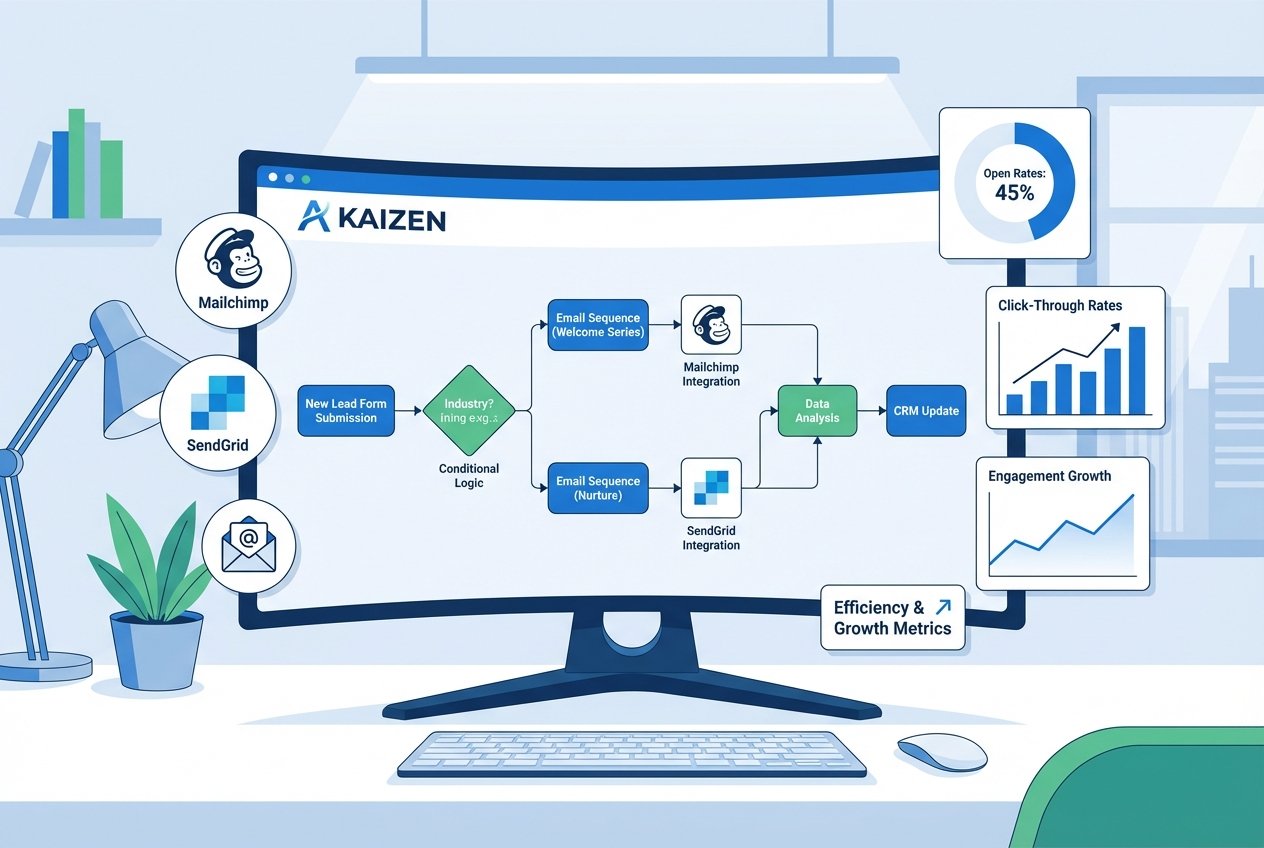
N8N offers over 400 native integrations, including popular email service providers like Mailchimp, SendGrid, and SMTP servers. This makes creating comprehensive marketing workflows straightforward and efficient.
Step-by-Step Guide to Setting Up Email Automation in N8N
Step 1: Installing and Configuring N8N
Begin by installing N8N on your preferred hosting environment. You can choose from several options:
- Docker installation: Ideal for businesses with technical expertise looking for maximum control
- npm installation: Suitable for developers comfortable with Node.js environments
- N8N Cloud: A managed solution for those preferring a hands-off approach
For UK businesses without dedicated technical teams, Kaizen AI Consulting offers expert AI consulting services that can help you navigate the setup process and ensure your automation infrastructure is properly configured from day one.
Step 2: Creating Your First Email Workflow
Once N8N is installed, access the workflow editor to begin building your first automated campaigns. The visual interface makes it simple to drag and drop nodes to create complex workflows.
Start with a trigger node that initiates the workflow. Common triggers include:
- Webhook triggers when a new subscriber joins your list
- Schedule triggers for sending regular newsletters
- Database triggers when customer behaviour changes
Step 3: Connecting Your Email Service Provider
N8N supports numerous email service providers. Configure your chosen provider by adding the appropriate credentials:
- SMTP credentials: Server address, port, username, and password
- API keys: For services like SendGrid, Mailchimp, or Mailgun
- OAuth authentication: For Gmail or Microsoft 365 integrations
According to Campaign Monitor, automated emails generate 320% more revenue than non-automated emails, highlighting the importance of getting this configuration right.
Step 4: Building Email Sequences
Effective email sequences nurture leads through your sales funnel. Create a series of connected nodes that send emails at predetermined intervals:
- Welcome email: Sent immediately upon subscription
- Value-add email: Delivered 2-3 days later with helpful content
- Social proof email: Shares testimonials and case studies after one week
- Offer email: Presents your product or service at the optimal moment
Use the Wait node in N8N to create appropriate delays between each message, ensuring your subscribers receive communications at the perfect time.
Step 5: Adding Conditional Logic
What separates basic automation from sophisticated marketing workflows is conditional logic. N8N allows you to create branching paths based on subscriber behaviour:
- Did the subscriber open the previous email?
- Did they click a specific link?
- Have they made a purchase?
By implementing IF nodes and Switch nodes, you can create personalised journeys that respond to individual subscriber actions, dramatically improving engagement rates.
Advanced Email Automation Strategies
Personalisation at Scale
Modern consumers expect personalised experiences. According to Salesforce research, 73% of customers expect companies to understand their unique needs. N8N enables you to pull data from CRM systems, e-commerce platforms, and databases to personalise every aspect of your emails.
Use the Set node to create personalised variables such as:
- First name and company name
- Purchase history references
- Location-specific content for UK regions
- Industry-specific messaging
Behavioural Trigger Campaigns
Set up workflows that respond to specific customer behaviours:
- Abandoned basket emails: Triggered when a customer leaves items in their shopping cart
- Re-engagement campaigns: Activated when subscribers become inactive
- Post-purchase sequences: Initiated after a successful transaction
- Birthday and anniversary emails: Scheduled based on customer data
These behavioural triggers can increase conversion rates by up to 70%, according to research from Invesp.
A/B Testing Integration
Optimise your automated campaigns by incorporating A/B testing into your workflows. Create parallel paths that test different subject lines, content variations, or send times, then use the results to continuously improve performance.
Measuring Success: Key Metrics to Track
Implementing email automation n8n workflows is only valuable if you measure results. Focus on these essential metrics:
- Open rates: UK average is approximately 21.5% across industries
- Click-through rates: Aim for 2-5% depending on your sector
- Conversion rates: Track how many email recipients complete desired actions
- Unsubscribe rates: Keep below 0.5% to maintain list health
- Revenue per email: The ultimate measure of campaign effectiveness
Connect N8N to your analytics platforms using webhook nodes or direct integrations to create real-time dashboards that inform your marketing decisions.
Common Challenges and How to Overcome Them
Deliverability Issues
Ensure your emails reach the inbox by properly configuring SPF, DKIM, and DMARC records. Warm up new sending domains gradually and maintain clean subscriber lists through regular hygiene practices.
Technical Complexity
While N8N is user-friendly, creating sophisticated marketing workflows can become complex. Many UK businesses find that partnering with specialists accelerates their automation journey. Kaizen AI Consulting specialises in helping businesses implement automation solutions that drive measurable results, providing both strategic guidance and hands-on implementation support.
Maintaining Compliance
UK businesses must ensure their email marketing complies with GDPR and the Privacy and Electronic Communications Regulations (PECR). Build consent management into your workflows and include easy unsubscribe options in every automated email.
Best Practices for Email Automation Success
To maximise the effectiveness of your email sequences and automated campaigns, follow these proven best practices:
- Start simple: Begin with basic workflows and add complexity gradually
- Document everything: Maintain clear records of your workflow logic for team reference
- Test thoroughly: Send test emails to yourself before activating workflows
- Monitor continuously: Set up alerts for workflow failures or anomalies
- Iterate regularly: Review and optimise your automations quarterly
Getting Started with Professional Support
Implementing effective email automation n8n workflows can transform your marketing efficiency and drive substantial revenue growth. However, the journey from concept to execution requires careful planning and technical expertise.
Whether you are just beginning to explore automation possibilities or looking to optimise existing workflows, professional guidance can significantly accelerate your results. Contact Kaizen AI Consulting today to discuss how our team can help you implement powerful email automation solutions tailored to your business needs.
Our experts understand the unique challenges facing UK businesses and can design marketing workflows that not only save time but also drive meaningful engagement with your audience. From initial strategy development to full implementation and ongoing optimisation, we provide comprehensive support at every stage of your automation journey.
Conclusion
Email automation with N8N represents a powerful opportunity for UK businesses to enhance their marketing effectiveness while reducing manual workload. By following this step-by-step guide, you can create sophisticated automated campaigns that nurture leads, drive conversions, and build lasting customer relationships.
The key to success lies in starting with clear objectives, building workflows incrementally, and continuously optimising based on performance data. With the right approach and expert support, your business can harness the full potential of email automation to achieve remarkable marketing results.