N8N Self-Hosting Guide: Save Money While Owning Your Automation
In an era where automation has become essential for business efficiency, many UK organisations find themselves caught between expensive SaaS subscriptions and the desire for complete control over their workflows. Enter n8n self-hosting – a powerful solution that allows businesses to run their own automation infrastructure whilst significantly reducing costs and maintaining full data privacy.
Whether you are a growing startup or an established enterprise, understanding how to leverage Docker automation for self-hosted n8n can transform your operational efficiency. This comprehensive guide walks you through everything you need to know about creating cost-effective workflows whilst keeping your sensitive business data exactly where it belongs – under your control.
What is N8N and Why Self-Host?
N8n (pronounced n-eight-n) is an open-source workflow automation tool that enables businesses to connect various applications, services, and APIs without extensive coding knowledge. Similar to tools like Zapier or Make, n8n offers a visual workflow builder that makes automation accessible to non-technical users.
However, unlike its cloud-based competitors, n8n offers a unique advantage: the ability to self-host. According to n8n’s official documentation, their self-hosted option provides unlimited workflows and executions, compared to the tiered pricing of cloud alternatives.
The Financial Case for Self-Hosting
Let us examine the numbers. Cloud-based automation platforms typically charge between 15 to 100 GBP per month for basic plans, with costs escalating rapidly as your automation needs grow. A Gartner report indicates that businesses can reduce their automation software costs by up to 60% through self-hosting solutions.
For UK businesses processing thousands of automated tasks monthly, the savings become substantial. A typical cloud automation subscription costing 500 GBP monthly translates to 6,000 GBP annually. Self-hosting n8n on a modest virtual private server (VPS) might cost as little as 10-30 GBP per month – representing potential savings of over 5,500 GBP yearly.
Understanding Data Privacy and Compliance Benefits
For UK businesses, data privacy automation is not merely a preference – it is often a regulatory requirement. The UK GDPR and Data Protection Act 2018 mandate strict controls over how personal data is processed and stored. When you self-host n8n, all workflow data remains within your infrastructure, providing several compliance advantages:
- Data Sovereignty: Your automation data never leaves your servers or UK jurisdiction
- Audit Trail Control: Complete visibility into how data flows through your systems
- Third-Party Risk Reduction: Fewer external processors to manage and audit
- Customisable Security: Implement security measures that match your specific requirements
The Information Commissioner’s Office (ICO) emphasises the importance of understanding where your data processing occurs. Self-hosting provides the transparency that regulators increasingly demand.
Getting Started: Docker Automation Setup
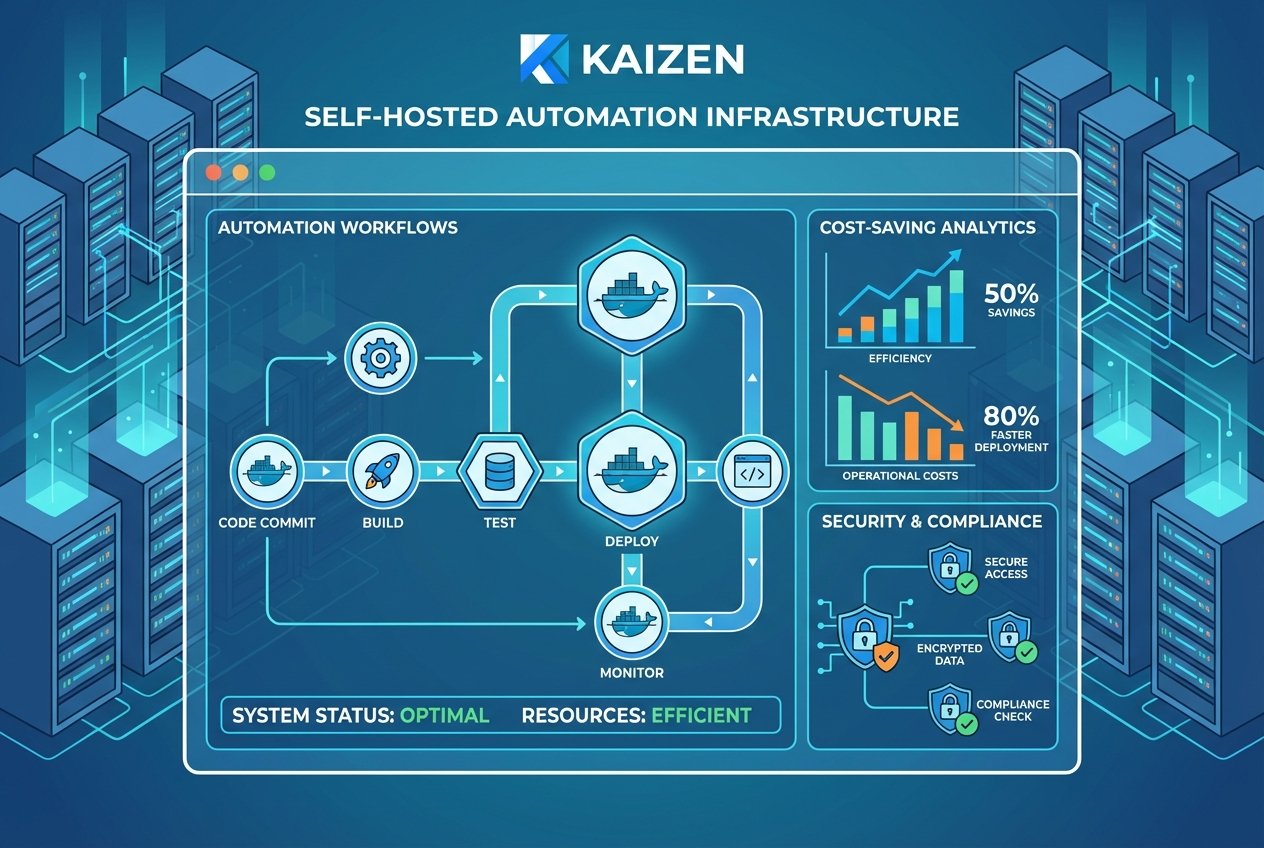
Docker has become the preferred method for deploying self-hosted applications, and n8n is no exception. Docker automation containerises your n8n instance, making deployment, updates, and scaling remarkably straightforward.
Prerequisites for Self-Hosting
Before diving into the technical setup, ensure you have the following:
- A VPS or dedicated server with at least 2GB RAM and 20GB storage
- Ubuntu 20.04 LTS or later (recommended for UK hosting providers)
- A registered domain name for secure HTTPS access
- Basic familiarity with command-line interfaces
- Docker and Docker Compose installed on your server
Step-by-Step Docker Installation
First, connect to your server via SSH and update your system packages:
sudo apt update && sudo apt upgrade -y
Install Docker using the official installation script:
curl -fsSL https://get.docker.com -o get-docker.sh
sudo sh get-docker.sh
Next, install Docker Compose for managing multi-container deployments:
sudo apt install docker-compose -y
Create a dedicated directory for your n8n installation:
mkdir ~/n8n-docker && cd ~/n8n-docker
Configuring Your Docker Compose File
Create a docker-compose.yml file that defines your n8n environment. This configuration includes persistent data storage and proper networking:
Your configuration should specify environment variables for timezone (set to Europe/London for UK operations), webhook URLs, and authentication credentials. Ensure you generate strong, unique passwords for the N8N_BASIC_AUTH settings.
For businesses requiring additional guidance on configuring complex automation environments, Kaizen AI Consulting offers expert consultation to ensure your self-hosted infrastructure meets enterprise-grade standards whilst remaining cost-effective.
Securing Your Self-Hosted Instance
Security should never be an afterthought when deploying cost-effective workflows. Implement these essential security measures:
SSL/TLS Configuration
Use a reverse proxy like Nginx or Traefik to handle SSL termination. Free SSL certificates from Let’s Encrypt provide enterprise-grade encryption at no cost. According to the National Cyber Security Centre, HTTPS is essential for protecting data in transit.
Firewall Configuration
Configure UFW (Uncomplicated Firewall) to restrict access to only necessary ports:
sudo ufw allow 22/tcp
sudo ufw allow 80/tcp
sudo ufw allow 443/tcp
sudo ufw enable
Regular Updates and Backups
Establish a routine for updating your n8n instance and backing up workflow data. Docker makes updates straightforward – simply pull the latest image and recreate your container. For backups, ensure your n8n data volume is included in your regular backup schedule.
Building Cost-Effective Workflows
With your self-hosted n8n instance running, you can begin creating cost-effective workflows that would otherwise require expensive third-party services. Popular automation use cases for UK businesses include:
- Lead Management: Automatically capture, enrich, and route leads from web forms to your CRM
- Invoice Processing: Extract data from invoices and sync with accounting software like Xero or QuickBooks
- Customer Support: Route support tickets, send automated responses, and escalate urgent issues
- Social Media Management: Schedule posts, monitor mentions, and aggregate analytics
- E-commerce Operations: Sync inventory, process orders, and update shipping information
A McKinsey Digital report suggests that businesses implementing workflow automation see productivity improvements of 20-35% within the first year.
Integrating AI Capabilities
Modern n8n self-hosting deployments can incorporate artificial intelligence to create intelligent automation workflows. N8n supports integration with AI services including OpenAI, allowing you to build workflows that:
- Automatically categorise and respond to customer enquiries
- Generate content drafts based on templates and data inputs
- Analyse sentiment in customer feedback
- Extract and summarise information from documents
At Kaizen AI Consulting, we specialise in helping UK businesses implement AI-enhanced automation strategies that maximise ROI whilst maintaining compliance with local regulations. Our team can design custom n8n workflows tailored to your specific operational requirements.
Monitoring and Maintenance Best Practices
Successful data privacy automation requires ongoing attention. Implement these monitoring practices:
Resource Monitoring
Use tools like Prometheus and Grafana to track server resources. N8n can become resource-intensive with complex workflows, so monitoring helps you scale appropriately.
Workflow Logging
Enable execution logging to troubleshoot failed workflows and maintain audit trails for compliance purposes. N8n stores execution data that you can query and analyse.
Health Checks
Configure automated health checks that alert you to downtime or performance issues. Services like Uptime Robot offer free monitoring for essential endpoints.
Scaling Your Self-Hosted Infrastructure
As your automation needs grow, your self-hosted n8n instance can scale accordingly. Options include:
- Vertical Scaling: Increase server resources (RAM, CPU) for more complex workflows
- Queue Mode: Separate workflow execution from the main application for improved performance
- Multiple Instances: Deploy additional n8n instances for different departments or use cases
UK hosting providers such as Linode, DigitalOcean, and Hetzner offer competitive pricing for scalable cloud infrastructure, with data centres in London ensuring low latency for UK-based operations.
Common Challenges and Solutions
Self-hosting is not without its challenges. Here are solutions to common issues:
Webhook Reliability
Ensure your domain DNS is properly configured and SSL certificates remain valid. Consider using a subdomain specifically for webhooks (e.g., webhooks.yourdomain.co.uk).
Database Performance
For high-volume workflows, migrate from SQLite to PostgreSQL for improved performance and reliability. PostgreSQL handles concurrent operations more efficiently.
Version Compatibility
When updating n8n, review release notes for breaking changes. Test updates in a staging environment before applying to production.
Take Control of Your Automation Today
Self-hosting n8n represents a strategic investment in your business infrastructure. The combination of cost savings, data privacy, and operational control makes it an attractive option for forward-thinking UK organisations.
However, implementing a robust self-hosted automation platform requires expertise in server administration, security configuration, and workflow design. If you are ready to harness the power of self-hosted automation but want expert guidance, contact Kaizen AI Consulting today. Our specialists will help you design, deploy, and optimise an n8n infrastructure that delivers immediate value whilst scaling with your business growth.
The future of business automation belongs to organisations that own their tools and data. Start your self-hosting journey today and join the growing number of UK businesses taking control of their digital operations.