Artificial intelligence has fundamentally changed how software gets built. Whether you are a startup founder with an app idea, a marketing agency building client tools, or an established UK business looking to modernise operations, there has never been a more powerful set of AI coding tools available to you. But with power comes choice, and right now three platforms dominate the conversation: Cursor AI, Claude Code, and Bolt.
According to research published in April 2026, 54% of UK firms are now actively using AI, up from just 25% in 2024. And with DSIT reporting that 56% of AI adopters have already seen measurable productivity gains, the question for most UK businesses is no longer whether to adopt AI development tools, but which ones to use.
This guide breaks down each platform in plain terms, so you can make an informed decision that suits your team, your budget, and your business goals.
What Are AI Coding Tools and Why Do They Matter for UK Businesses?
AI coding tools use large language models (LLMs) to help humans write, review, refactor, and deploy software faster. They range from intelligent code completion inside a familiar editor all the way through to fully autonomous agents that can take a plain English description and return a working application.
For UK businesses, this means two things: first, that building custom software is now far more accessible, even for teams without large development departments. Second, that existing development teams can operate significantly faster, reducing project timelines and associated costs. The Deloitte State of AI in the Enterprise 2026 report notes that worker access to AI rose by 50% in 2025, with the number of companies running AI in production set to double over the coming year.
Understanding how each tool in this AI IDE comparison works is therefore a commercially relevant skill, not just a technical curiosity.
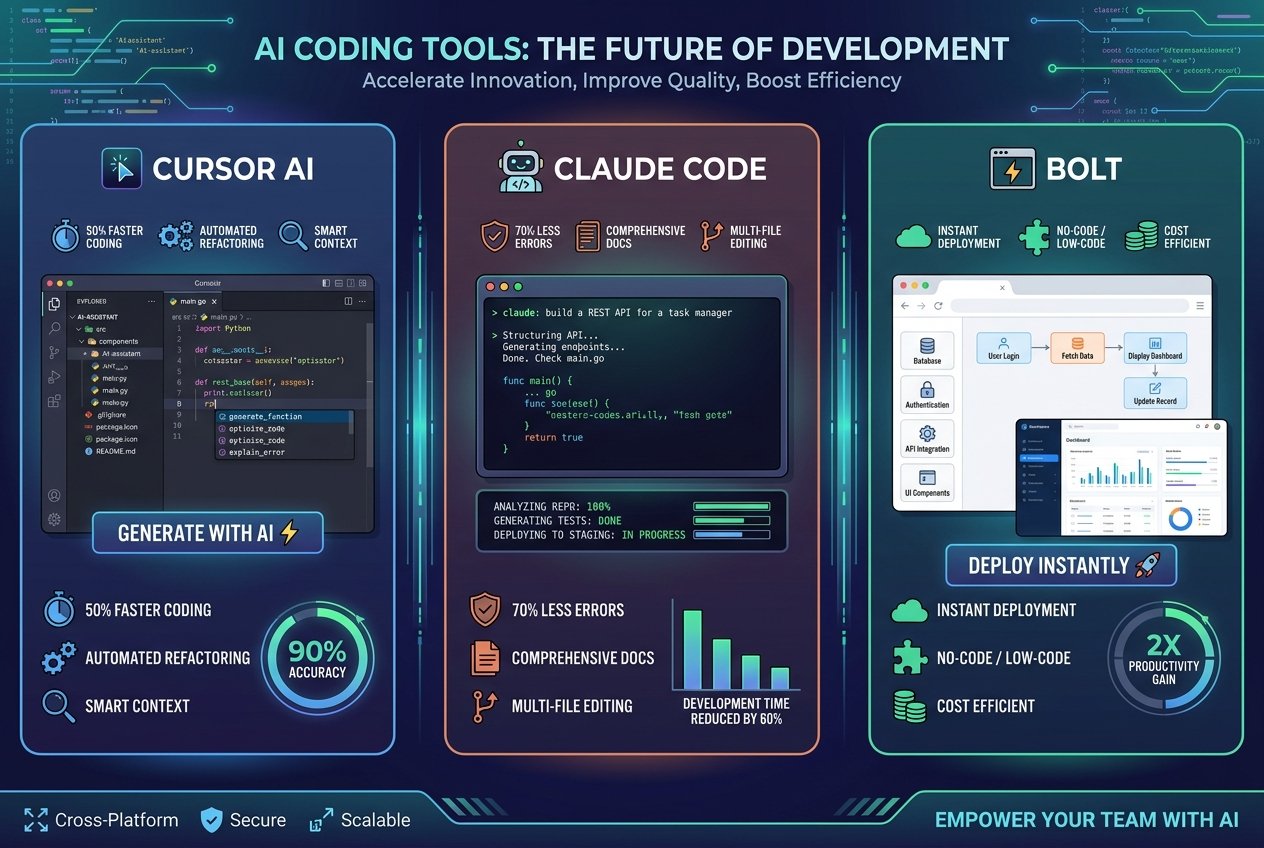
Cursor AI: The Developer’s Daily Companion
Cursor is an AI-augmented integrated development environment (IDE) built on top of the familiar VS Code foundation. It is designed to sit alongside your existing workflow and make every coding session more productive through intelligent autocomplete, inline chat, and an agent mode that can take on larger tasks.
Key Features
- Composer Model: A purpose-built coding model capable of near-instant code generation across multiple files
- Agent Mode: An adjustable autonomy slider lets developers decide how much independence the AI takes
- Multi-Model Flexibility: Switch between Claude Sonnet, Claude Opus, GPT-based models, Gemini, and Cursor’s own proprietary model depending on the task
- Visual Diffs: Inline code review that makes it easy to see exactly what the AI has changed before accepting it
- Tab Autocomplete and Chat: Both passive suggestions and active prompting are supported in the same interface
Strengths and Weaknesses
Cursor excels at iterative, day-to-day development work. It is faster for spotting mistakes in real time and gives developers fine-grained visibility over what the AI is doing. The VS Code environment means almost no onboarding friction for teams already familiar with that ecosystem. The model flexibility is a genuine advantage, letting your team pick the best AI for each task rather than being locked into a single provider.
The trade-off is that Cursor requires more active involvement from the developer. It is less suited to fully autonomous, large-scale refactoring than its competitors. For complex, codebase-wide analysis, it can feel slower than Claude Code.
Pricing
Cursor Pro is priced at approximately $20 per month, making it one of the most predictable and affordable options for businesses requiring budget certainty.
Best For
SaaS platforms, web applications, backend services, and any team that values iterative control and model flexibility. Ideal for businesses with existing developers who want AI to amplify, rather than replace, their work.
Claude Code: The Autonomous Powerhouse for Complex Projects
Claude Code is Anthropic’s terminal-based AI coding agent. Unlike Cursor, it is not an IDE. It operates from the command line, integrating with your git workflows, shell commands, and test suites to take on complex, multi-step tasks with minimal human interruption. It also runs as a plugin within other IDEs and has a web and desktop client available.
Key Features
- 1 Million Token Context Window: Claude Code can ingest and reason over an entire codebase at once, something most tools struggle with on large projects
- Multi-Step Autonomous Workflows: It can plan and execute complex chains of changes across many files, running tests and adjusting its approach based on results
- Subagents and MCP Integration: Advanced orchestration capabilities allow it to spin up specialist sub-processes for different parts of a task
- Deep Git and Shell Integration: Execute commands, run tests, push commits, and manage branches entirely through natural language instructions
Strengths and Weaknesses
Claude Code’s greatest strength is depth. According to NXCode’s 2026 analysis, Claude Code wins decisively on complex refactoring and codebase-wide analysis. Its ability to understand context across an entire large project and execute multi-file changes autonomously is unmatched in this AI coding tools comparison.
The challenge is the learning curve. The MCP framework, subagent concepts, and shell-centric workflow all require a degree of technical comfort. It is also limited to Anthropic’s own Claude model family, removing the flexibility that Cursor offers. Pricing can become variable on larger enterprise tasks, reaching up to $200 per month for intensive usage.
Pricing
Claude Code starts at approximately $20 per month for standard usage, scaling to around $200 per month for enterprise-level workloads.
Best For
Legacy system modernisation, large-scale platform migrations, complex backend architectures, and teams that need to dispatch substantial autonomous tasks. Excellent for businesses with existing large codebases that require significant refactoring.
Bolt: The Fastest Route from Idea to Working Application
Bolt (bolt.new) is a fundamentally different product to Cursor and Claude Code. It is a full-stack, browser-based AI app builder that requires no local setup, no terminal, and no prior coding knowledge to use effectively. Powered by Anthropic’s Claude models and StackBlitz’s WebContainers runtime, it lets users describe an application in plain English and receive a fully functional prototype in minutes.
Note that Bolt AI and Bolt.new refer to the same product. The branding is interchangeable, with Bolt AI simply describing the AI-driven capabilities at the core of the Bolt.new platform.
Key Features
- Full-Stack Generation: React frontend, Node.js backend, PostgreSQL database with Prisma ORM, all generated and connected automatically
- In-Browser Runtime: StackBlitz WebContainers means the entire development environment runs in your browser with no local installation
- Real-Time Multiplayer Editing: Multiple team members can prompt and edit simultaneously, with live typing indicators
- Figma Import: Drag in design files and Bolt will build to match them, bridging the gap between design and development
- One-Click Deployment: Deploy to Netlify or Bolt Cloud with a single action, including auth, analytics, and payments via Stripe
- Bolt Cloud: Enterprise-grade hosting with global deployment, analytics dashboards, and advanced authentication
Strengths and Weaknesses
Bolt’s headline advantage is speed. Industry benchmarks from Till Freitag’s vibe coding tools comparison place Bolt at approximately 28 minutes to a working prototype, compared to around 75 minutes with Cursor and 90 minutes with Claude Code. For businesses that need to validate an idea quickly, demonstrate a concept to investors, or build an internal tool without engaging a development agency, this speed is transformative.
The trade-off is depth of customisation. Bolt is purpose-built for rapid prototyping and MVPs rather than complex, production-grade systems with intricate business logic. Teams building highly bespoke applications will eventually hit the limits of what a prompt-driven visual builder can deliver without moving some work to a more code-centric environment.
Pricing
Bolt offers a free tier for basic prototyping, with paid Pro and Teams plans for business use and enterprise options for larger organisations. Check bolt.new for the most current pricing.
Best For
Startup MVPs, investor demos, internal dashboards, client-facing tools, and any situation where getting a working application in front of users quickly is the primary goal. Particularly valuable for non-technical founders and product managers.
Head-to-Head: AI Coding Tools Comparison at a Glance
The table below summarises the core differences to help you make a quick comparison across these three leading AI development tools:
| Factor | Cursor AI | Claude Code | Bolt |
|---|---|---|---|
| Type | AI-augmented IDE | Terminal AI agent | Browser-based app builder |
| Time to prototype | ~75 minutes | ~90 minutes | ~28 minutes |
| Technical skill required | Medium | High | Low |
| Best use case | Daily dev, production apps | Complex refactoring | MVPs and prototypes |
| Starting price | ~$20/month | ~$20/month | Free tier available |
| Model flexibility | High (multi-model) | Low (Claude only) | Medium (Claude-focused) |
Which AI Coding Tool Should Your Business Choose?
The honest answer is that no single tool wins outright. The right choice depends almost entirely on your business context.
Choose Cursor AI if you have developers on your team who want powerful AI assistance without giving up control or visibility. It is the best everyday tool for production-grade software development and its multi-model flexibility means you are never locked into a single AI provider.
Choose Claude Code if you are dealing with a large, complex existing codebase that needs significant refactoring, migration, or modernisation. Its ability to understand millions of tokens of context and execute multi-step autonomous tasks makes it uniquely suited to large-scale projects.
Choose Bolt if you need to go from idea to working application as fast as possible, particularly if your team is non-technical or if you are building a prototype for validation or investment purposes. Its speed and simplicity are unmatched for this use case.
The smart hybrid approach: Industry experts increasingly recommend combining Cursor and Claude Code at a combined cost of around $40 per month. Use Bolt to validate the concept quickly, then move to Cursor for day-to-day production development with Claude Code handling major refactoring work. Many growing UK businesses are finding this layered approach gives them the best of all three platforms.
How Kaizen AI Consulting Can Help Your Business Navigate AI Development Tools
Choosing the right AI coding tool is only the first step. Integrating it effectively into your business workflows, training your team, managing costs, and ensuring you are building in the right direction requires strategic guidance that goes beyond the tool itself.
At Kaizen AI Consulting, we work with UK businesses at every stage of the AI adoption journey. Whether you are a startup exploring Bolt for your first MVP, a scale-up looking to accelerate your engineering team with Cursor AI, or an enterprise planning a major migration with Claude Code, our consultants can help you build the right strategy, select the right tooling, and implement with confidence. We have a proven track record of helping UK organisations move from curiosity to commercial results with AI, and we understand the unique challenges facing British businesses in 2026.
If you are exploring broader AI strategy for your business, our guide on going from startup to success with AI is a great place to start. You can also explore our full range of AI consulting and implementation services tailored to UK businesses.
The pace of development in AI coding tools is extraordinary, and the gap between businesses that adopt strategically and those that do not is widening every quarter. The tools are here. The results are proven. The question is whether your business is ready to use them effectively.
Ready to find out which AI coding tool is right for your business? Get in touch with the Kaizen AI Consulting team today for a no-obligation conversation about your AI development strategy.