In an era where customers expect instant answers around the clock, businesses that rely solely on human agents to field repetitive questions are fighting a losing battle. Inboxes overflow, response times suffer, and talented support staff spend hours answering the same queries day after day. The solution? An AI-powered FAQ system that handles routine enquiries automatically, delivers accurate information instantly, and scales effortlessly as your business grows.
According to Ringly.io’s 2026 AI Customer Service Report, companies see an average return of £2.75 for every £1 invested in AI customer service tools, and the global AI customer service market has already reached $15.12 billion in 2026. Meanwhile, Fastbots.ai research confirms that AI is now automating 80% of routine support interactions, freeing human agents to focus on complex, high-value conversations. For UK businesses looking to remain competitive, building an AI knowledge base and self-service FAQ system is no longer a luxury – it is a strategic necessity.
This guide walks you through exactly how to build one from the ground up.
Why AI-Powered FAQ Systems Matter for UK Businesses
Before diving into the how, it is worth understanding the scale of the opportunity. The UK customer self-service software market was valued at USD 1.24 billion in 2024 and is forecast to reach USD 3.54 billion by 2030, growing at a compound annual growth rate of 23.8%. British consumers are increasingly comfortable with self-service; HMRC reported that 79.6% of its customer interactions were handled through automated or digital self-serve channels in Q2 2025 alone.
The cost argument is equally compelling. ChatMaxima’s 2026 analysis highlights that businesses implementing AI support automation save an average of $127,000 annually through reduced ticket volumes, while the cost per customer interaction falls by as much as 68% compared to human-agent-handled queries. For growing SMEs and mid-sized UK enterprises, that kind of operational saving can be transformational.
Step 1: Define Your Goals and Map Your Most Common Queries
Every successful AI knowledge base starts with clear objectives. Before choosing a platform or writing a single FAQ entry, spend time answering these questions:
- What is your target self-service resolution rate? (Industry benchmarks suggest aiming for 70-83%.)
- Which support channels do your customers use most – email, live chat, WhatsApp, your website?
- Do you need multilingual support to serve a diverse UK customer base?
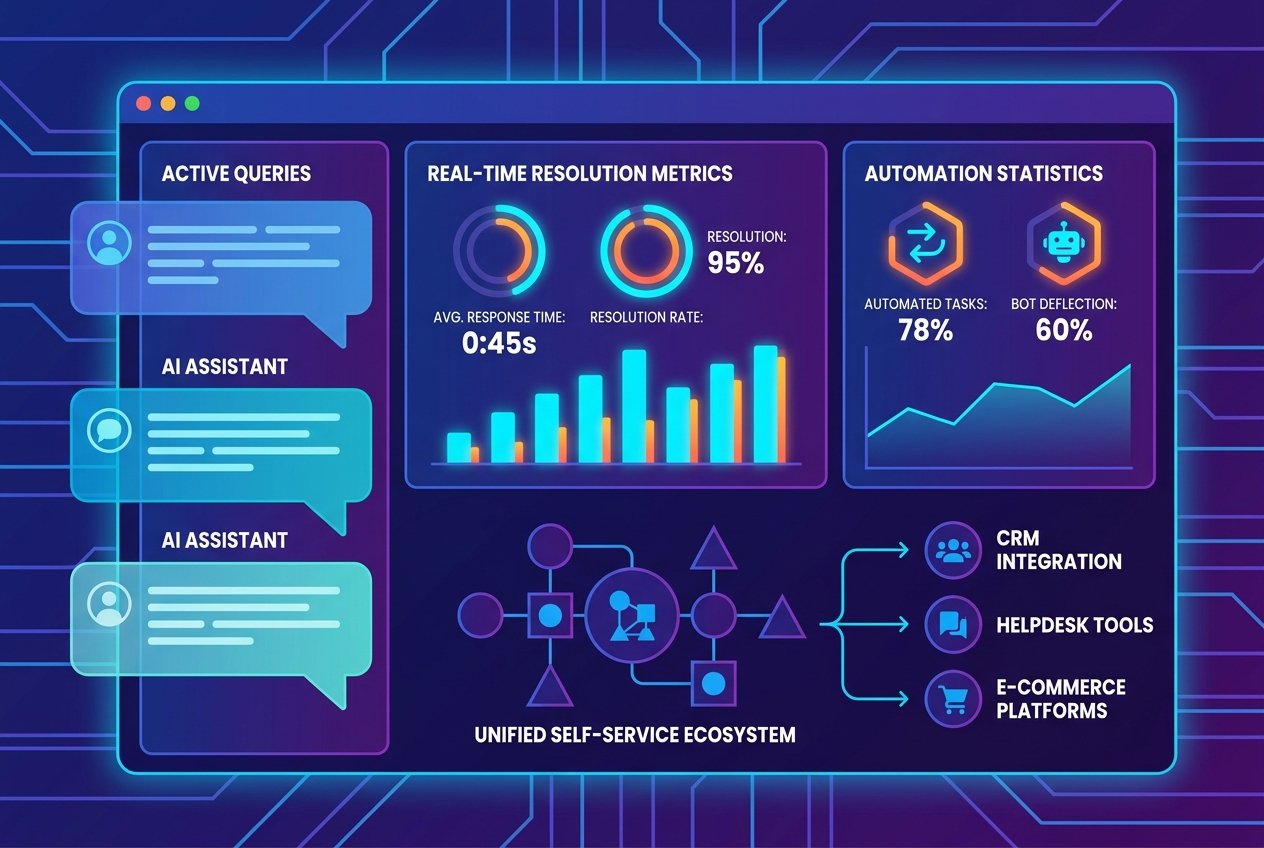
- Will the system need to integrate with your existing CRM, helpdesk, or e-commerce platform?
Next, audit your current support data. Pull the last three to six months of support tickets, live chat transcripts, and email enquiries and categorise them by topic. You will almost certainly find that a small number of question types account for the vast majority of volume – in most businesses, the top 20 query categories represent 80% of all tickets. These become the foundation of your FAQ automation strategy.
Step 2: Build a High-Quality AI Knowledge Base
Your AI knowledge base is the engine that powers your FAQ system. Unlike a traditional static FAQ page, a modern AI knowledge base uses natural language processing (NLP) and retrieval-augmented generation (RAG) to understand the intent behind a question and retrieve the most relevant answer – even when the customer’s phrasing does not match your exact wording.
To build a robust knowledge base:
- Consolidate your source content: Gather existing FAQs, product documentation, policy documents, how-to guides, and resolved support tickets into a single repository.
- Structure your content clearly: Use consistent formatting with clear headings, short paragraphs, and bullet points. AI models retrieve and present structured content more accurately.
- Eliminate outdated or conflicting information: Stale data is one of the leading causes of AI chatbot failure. Brainfish’s 2026 Knowledge Base Guide notes that Gartner attributes 70% of AI chatbot failures to poor or outdated knowledge.
- Set up automated content ingestion: Where possible, configure your platform to automatically pull updates from product pages, help articles, and policy documents so your knowledge base stays current without manual intervention.
At Kaizen AI Consulting, we help UK businesses design and structure their AI knowledge bases from the ground up, ensuring the content architecture is optimised for accurate retrieval and maximum self-service resolution rates. Getting this foundation right is the most critical step in the entire process.
Step 3: Choose the Right FAQ Automation Platform
The market for AI-powered FAQ and customer self-service tools has matured significantly. When evaluating platforms, look for the following capabilities:
- Natural language understanding (NLU): The system should handle varied phrasing, spelling variations, and conversational queries – not just exact keyword matches.
- RAG-powered retrieval: Retrieval-augmented generation allows the AI to pull answers from your knowledge base documents dynamically, reducing hallucinations and improving accuracy.
- Seamless escalation paths: When a query falls outside the system’s confidence threshold, it should hand off gracefully to a human agent with full context preserved.
- Analytics and reporting: Track resolution rates, unanswered queries, customer satisfaction scores, and ticket deflection rates so you can continuously improve.
- Integration capabilities: Ensure the platform connects with your existing tools, whether that is Zendesk, HubSpot, Salesforce, Shopify, or your bespoke CRM.
- GDPR compliance: For UK businesses, data handling must comply with UK GDPR. Verify how your chosen platform stores and processes customer data.
Popular platforms in 2026 include Zendesk AI, Intercom Fin, Freshdesk Freddy, and Brainfish, among others. The right choice depends on your existing tech stack, budget, and the complexity of your support workflows.
Step 4: Design Your Customer Self-Service Experience
Technology alone does not create a great self-service experience – design does. Even the most powerful AI knowledge base will fail to deliver results if it is buried in your website or difficult for customers to access.
Consider the following best practices when designing your customer self-service portal:
- Surface the FAQ bot prominently: Embed a chat widget on your homepage, product pages, checkout pages, and account portal – wherever customers are most likely to have questions.
- Use proactive triggers: Set the chatbot to initiate conversations when a user has spent a certain amount of time on a page, is about to abandon their cart, or is navigating to a contact form.
- Personalise where possible: If a customer is logged in, the system should recognise their account, order history, or subscription status and tailor its responses accordingly.
- Make escalation effortless: Never trap customers in a self-service loop. A clearly signposted option to speak with a human agent – with context automatically passed through – maintains trust and reduces frustration.
- Optimise for mobile: In the UK, over 60% of web traffic comes from mobile devices. Ensure your FAQ system is fully responsive and easy to use on smaller screens.
Step 5: Integrate with Your Existing Business Systems
An AI FAQ system that operates in isolation delivers only a fraction of its potential value. The real power comes from deep integration with the rest of your business infrastructure. Key integrations to prioritise include:
- CRM integration: Log every customer interaction automatically, update contact records, and give human agents full visibility of previous self-service conversations.
- Helpdesk integration: Tickets that cannot be resolved by the AI should be automatically created in your helpdesk system, pre-categorised, and assigned to the right team.
- E-commerce platforms: For retail businesses, integration with Shopify, WooCommerce, or Magento enables the AI to answer order status queries, process returns requests, and check stock availability in real time.
- Communication channels: Extend your FAQ automation beyond your website to WhatsApp Business, Facebook Messenger, and email using an omnichannel approach.
If you are unsure which integrations make sense for your specific tech stack, our team at Kaizen AI Consulting specialises in mapping AI solutions to existing business workflows, ensuring a smooth implementation with minimal disruption to your operations. You can explore how we approach AI-driven business growth strategies on our blog.
Step 6: Train, Test, and Refine Your System
Before going live, invest time in thorough testing. Assemble a cross-functional team including support staff, sales team members, and ideally a handful of trusted customers to stress-test the system with real-world questions. Pay particular attention to:
- Edge cases and unusual query phrasings
- Questions that span multiple topics or require multi-step answers
- Sensitive topics where the AI should always escalate to a human
- Accuracy of responses where specific facts, prices, or policies are involved
After launch, treat the first 90 days as an extended testing period. Review unanswered query logs weekly, add missing content to your knowledge base, and use customer satisfaction ratings to identify responses that need improvement. The best-performing AI knowledge base implementations achieve self-service resolution rates above 83% – but this level of performance is the result of continuous iteration, not a one-time setup.
Step 7: Monitor Performance and Measure ROI
Establishing clear metrics from day one ensures you can demonstrate the business value of your investment and identify areas for improvement. Key performance indicators to track include:
- Ticket deflection rate: The percentage of queries resolved without human agent involvement. A well-implemented system should achieve 60-80% deflection.
- First contact resolution rate: How often does the AI resolve a query in a single interaction?
- Customer satisfaction score (CSAT): Collect ratings after each AI interaction to benchmark satisfaction against your human-agent baseline.
- Average handle time: Track how quickly queries are resolved compared to your pre-AI baseline.
- Cost per ticket: Monitor the reduction in cost per customer interaction over time, benchmarking against the industry average drop of 68% post-AI implementation.
Common Pitfalls to Avoid
Even businesses with the best intentions can undermine their AI FAQ systems through a handful of recurring mistakes:
- Launching with an incomplete knowledge base: Gaps in your content lead to unanswered queries and frustrated customers. Prioritise completeness before go-live.
- Ignoring ongoing maintenance: Products change, policies update, and prices shift. Schedule regular knowledge base reviews – at minimum quarterly.
- Over-automating sensitive interactions: Complaints, refund disputes, and vulnerable customer situations should always have a clear, fast route to a human agent.
- Neglecting the escalation experience: A clunky handover from bot to human – where the customer has to repeat themselves – erases the goodwill built by the self-service interaction. Ensure context is carried through seamlessly.
The Strategic Advantage of Acting Now
The UK Customer Satisfaction Index (UKCSI) rose to 78.2 out of 100 in early 2026, its highest point in several years, driven in part by improved digital service experiences. UK consumers are raising their expectations, and businesses that invest in intelligent, responsive self-service tools will be best positioned to meet them.
Building an AI-powered FAQ system is not simply a cost-cutting exercise – it is a customer experience upgrade that frees your human team to do their best work, builds brand trust through consistent and accurate responses, and gives your business the ability to scale support without scaling headcount proportionally.
Whether you are a scaling start-up fielding your first surge of customer enquiries or an established UK enterprise looking to modernise your support infrastructure, the steps outlined in this guide provide a practical roadmap to follow. The technology is proven, the ROI is clear, and the competitive advantage for early movers is real.
Ready to build your AI-powered FAQ system but not sure where to start? Get in touch with the team at Kaizen AI Consulting today. We work with UK businesses of all sizes to design, build, and deploy intelligent customer self-service solutions that deliver measurable results from day one – no jargon, no unnecessary complexity, just practical AI implementation that works.